crusher-X 12
 Download crusher-X-DEMO.dmg |
 Download crusher-X-DEMO.zip |
crusher-X 12
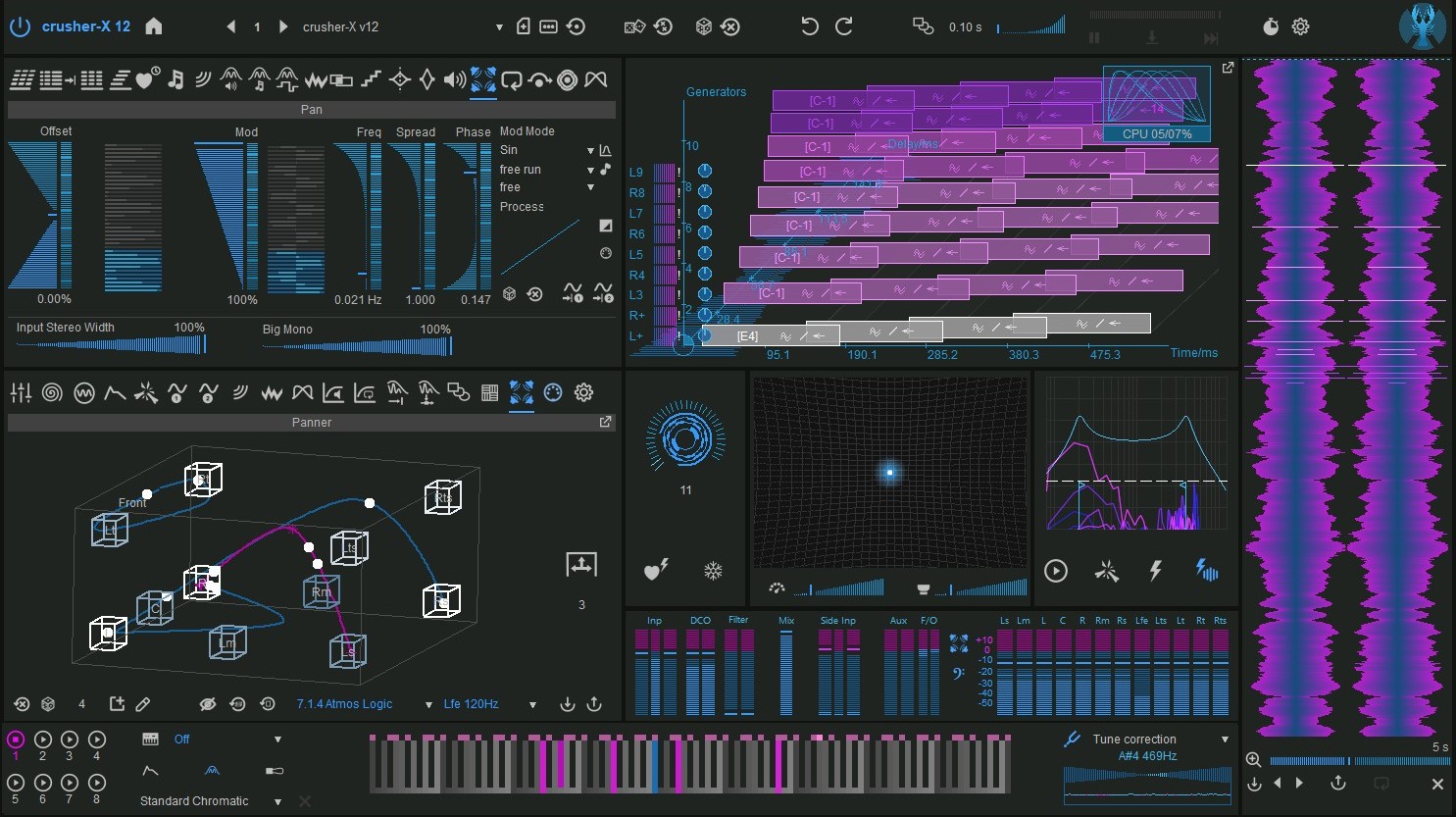
With crusher-X 12, accSone once again redefines what’s possible in real-time granular synthesis. The new version transforms immersive sound design with a stunningly fluid, interactive 3D environment and an even deeper connection between grains, space, and motion.
Grain-controlled interactive 3D Panner
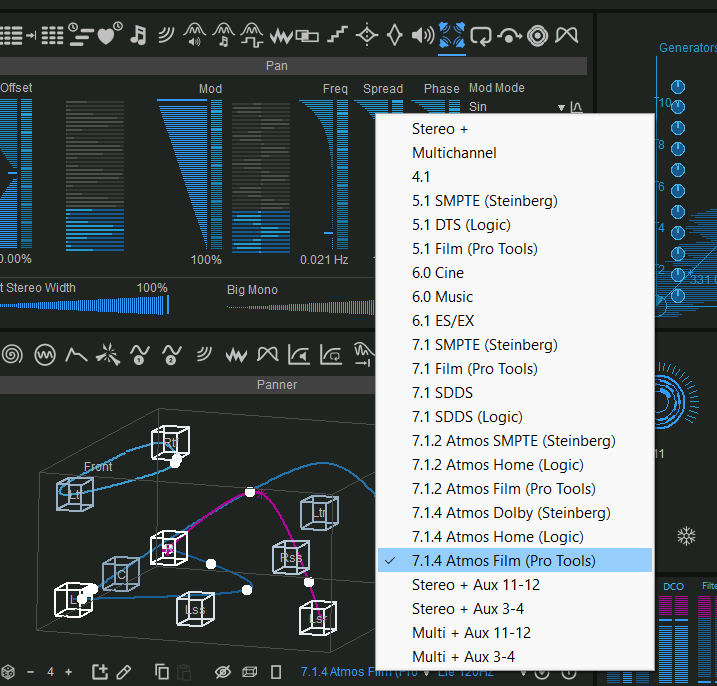
At the heart of this evolution lies the brand-new Grain-controlled interactive 12-path 3D Panner, developed in close collaboration with Grammy-award-winning recording engineer and music producer Hans-Martin Buff, known for his groundbreaking spatial work with artists such as Prince, Scorpions, and Peter Gabriel. Together, accSone and Buff created an innovative 3D Panner concept that merges artistic precision with technical depth - allowing every grain to move through space as a living, breathing sonic entity. The intuitive 3D spline editor and the unique “stick-to-walls” speaker snap feature bring an entirely new dimension to sculpting immersive audio in virtual control rooms. Thank you to msm-studios in Munich for their support with their excellent immersive audio setup!
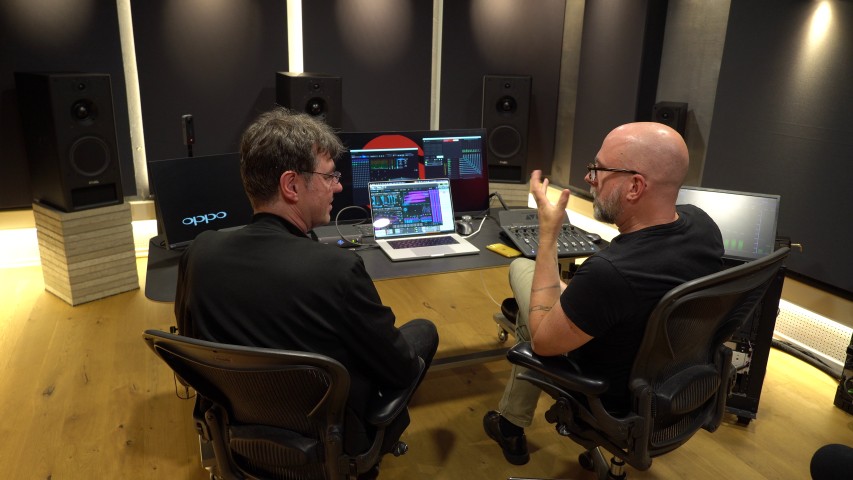
Hans-Martin Buff and accSone at msm-studios Munich
Buff factory presets
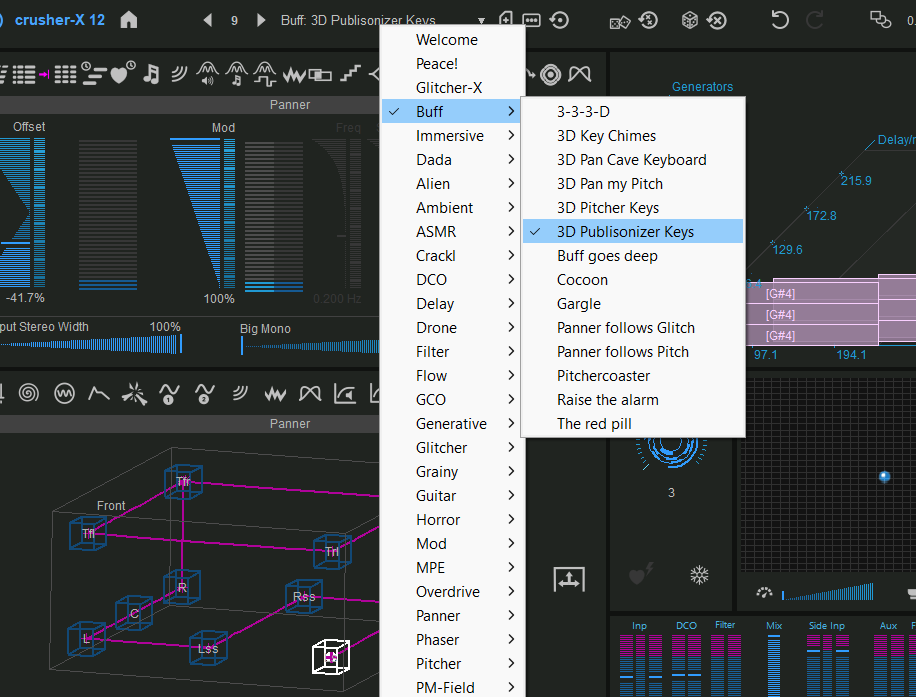
crusher-X 12 Presets designed by Hans-Martin Buff
Hans-Martin Buff also provides some great immersive and interactive preset programs for crusher-X 12, showcasing the capabilities and new sound aesthetics that can be achieved with the new 3D Panner.
Binauralizer
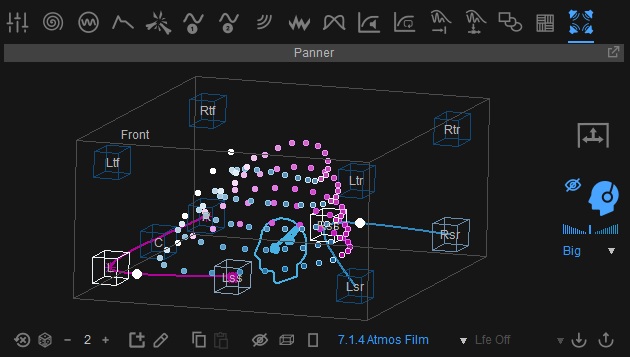
Binauralizer
The 3D Panner comes with an optional Binauralizer. Its unique synthesised HRTFs bring the sense of space to your stereo headphones as well.
Full Stereo Grains and LFE Modes
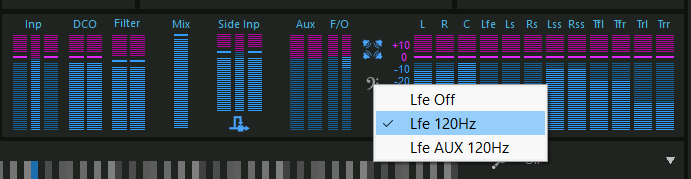
crusher-X 12 introduces full Stereo Grains and new LFE Modes
Spatial diffusion and Big MONO
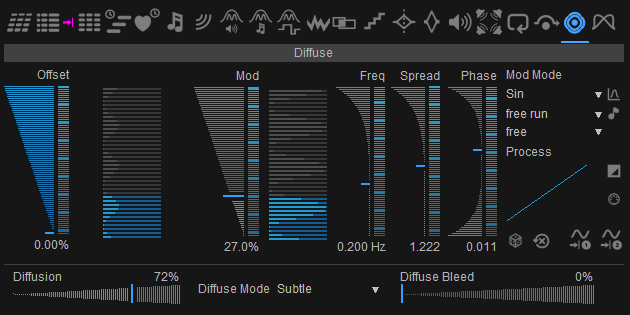
crusher-X 12 comes with new Diffusion Modes, Stereo Width Panner and Big Mono Fader
Spatial diffusion also gains a new expressive depth with the Grain Diffuse Mode and Diffuse Bleed parameters, adding airy or focused movement to granular clouds. The redesigned Mix Wet/Dry Fader offers smooth crossfading across all output channels for coherent surround mixing. Even the compressors now morph smoothly between settings, ensuring transparent transitions in dynamic control. The Stereo Width Panner expands input shaping possibilities, while the unique Big Mono Fader offers a powerful way to blend a mono mix of all Generators back into the full spatial output.
Generator BEAM
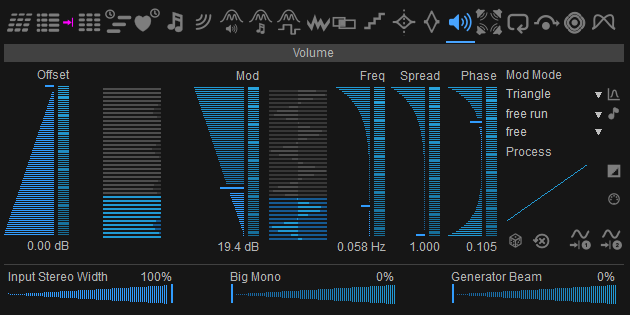
The new Generator Beam Fader
The Generator Beam slider bleeds a non panned copy of each Generator directly into the Granulizer Outputs, bypassing the 3D Panner. The Generators are not summed to mono as they are with Big Mono - every Generator keeps its own sound and its Left/Right image while it leaves its panner path. In the immersive Surround Modes a fully opened beam puts every Generator into every speaker at full level.
In-Grain Panner
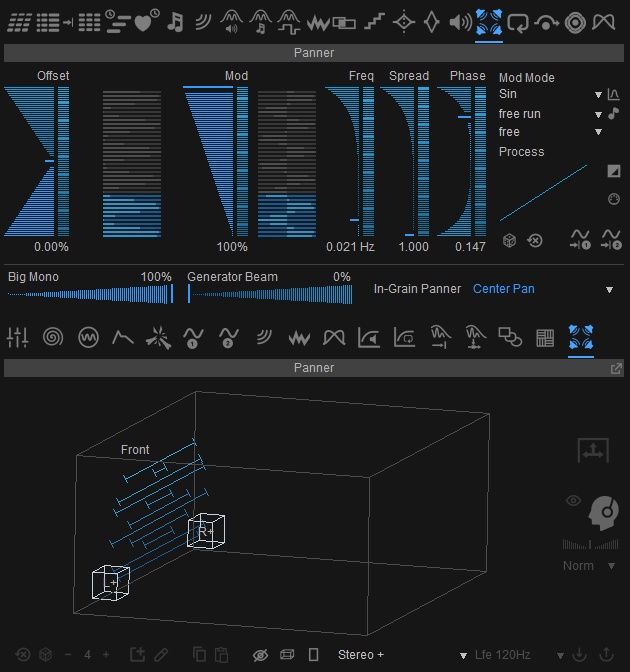
The new In-Grain Panner
Until now a grain was given its place when it was launched and kept it until it faded. The In-Grain Panner sets every single grain in motion while it sounds: Pan carries it from one side to the other, Center Pan swings it from the center out to both sides and back, so a grain starts and ends in the middle. How far it travels, and in which direction, is set by the Panner Grain Modulation - and since that modulation can give every grain a value of its own, a cloud of long grains turns into a field of independent movements instead of a row of fixed positions. In the Stereo and Multichannel modes the pan runs between left and right; in the immersive and Atmos modes it works on top of the 3D Panner and moves each grain around its place on the 3D path.
Hard Tune modes
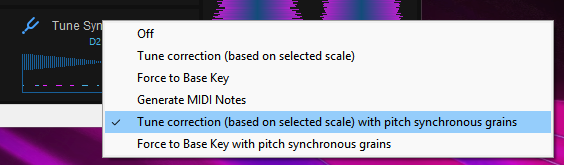
The new Hard Tune modes
The Pitch Tracker gains now two new Hard Tune modes, Tune Sync and Base Key Sync. They correct the pitch to the selected scale or to the Base Key like the two modes before them, and in addition lock the grain schedule to the detected note: every grain reads the Grain Buffer a whole number of periods of that note on from the grain before it, and the grain window covers a whole number of grain steps. Overlapping grains then add up into one tone instead of beating against each other, which is what produces the typical voice pitching effect out of small grains.
24 dB Ladder Filter
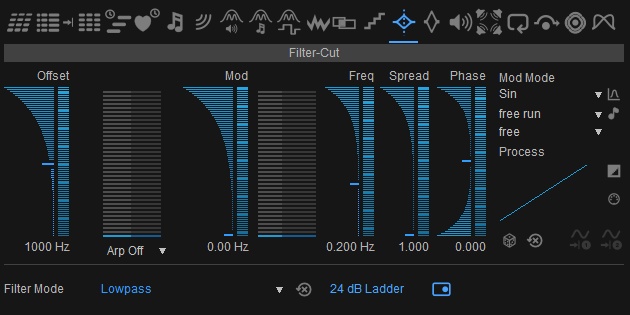
The new 24 dB Ladder switch of the grain Filter
Every grain in crusher-X has a filter of its own, and the new 24 dB Ladder switch gives that filter a second character: Lowpass, Highpass, Bandpass and Bandstop then cut 24 dB per octave instead of 12, with the resonant sound of a ladder filter. Filter Cut and Q drive it exactly as before, so every Grain Modulation that sweeps or scatters the cutoff now does it with a steeper, more resonant edge - grain by grain. The switch is stored with the Program and morphs along with it.
New Grain Modulation Modes
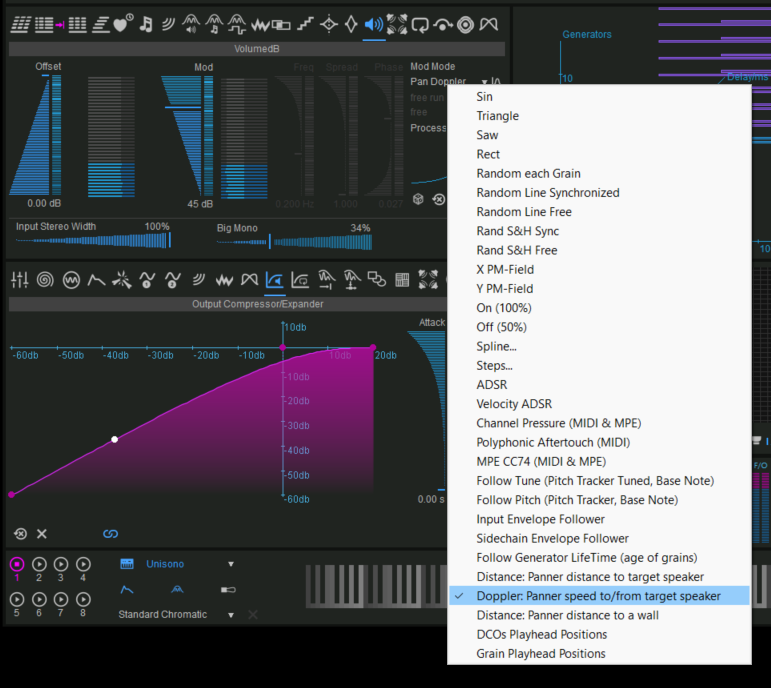
New Panner related Grain Modulations of crusher-X 12
New Grain Modulation Modes open vast expressive frontiers, including Panner Distance to Speaker, Panner Distance to Walls, and Panner Doppler. Modulate DCO and Grain Playhead Positions, experiment with Grain-specific AUX routing, and enjoy fully morphed Host Beat Quantization Modes for rhythmic precision. The newly introduced ScanModes (Global 1 and Global 2) synchronize Grain Modulations to Global Modulators, ensuring perfect timing and creative interplay across your sonic architecture.
New Scan Modes
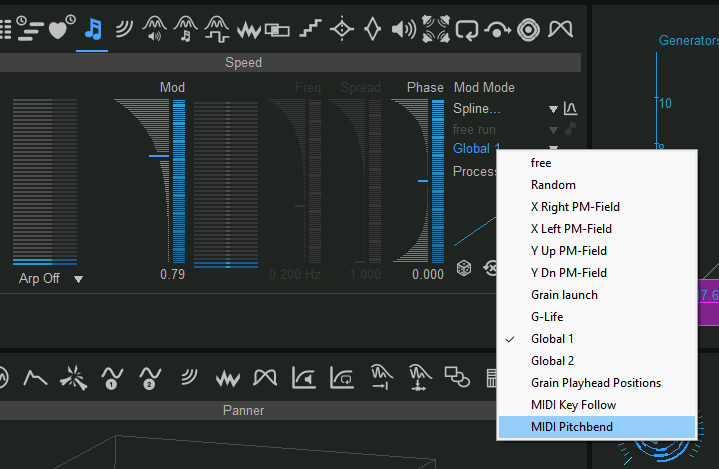
The new Scan Modes of crusher-X 12 work on every Grain Modulation
OSC Control
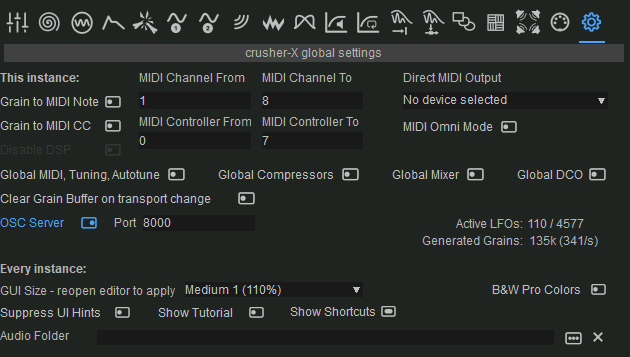
Free learn enabled OSC UDP Network Server (Open Sound Control)
X-Talk for Grain Feedback
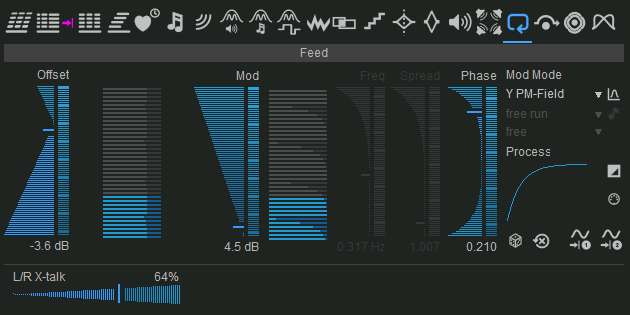
crusher-X 12 Feedback Left/Right X-talk fader
crusher-X 12 refines workflow and responsiveness across the board. Smart Edit Tab selections speed up modulation editing, while the new Feedback Left/Right X-talk fader enhances stereo feedback character.
Kurt Schwitters URSONATE factory sounds
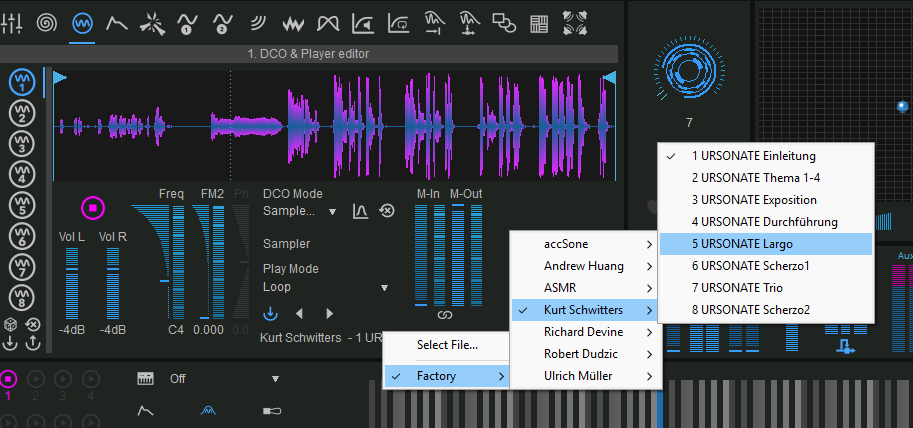
Kurt Schwitters URSONATE factory sounds celebrates sonic art and Dadaism
Why Upgrade to crusher-X 12?
Every aspect of crusher-X 12 has been designed to empower spatial imagination. From immersive multichannel granular motion to live 3D performance control, it invites you to step inside the sound itself - where every grain is a voice, and every voice can move in space.
Welcome to crusher-X 12 !
For those who seek beyond
Find your crusher-X upgrade offer at the accSone Shop
crusher-X 12 Release Notes:
- Adds full stereo processing for each generator (incl. Stereo GCOs!) that removes the need of Generator, Modulation, Channel and MIDI-Voice pairing and assignments
- Adds full a 3D Surround-Panner processing for each grain with up to 12 individual 3D paths
- Adds a detachable smart 3D Surround-Panner editor incl. a "Stick to walls" path button that drags the path points to the loudspeakers
- Adds an OSC UDP Network Server (Open Sound Control) as a source for the Control Mapper. Free mapping of incoming OSC addresses to UI elements via the Mapping editor
- Adds immersive Presets crafted by the grammy-winning engineer Hans-Martin Buff
- Adds Kurt Schwitters URSONATE factory sounds (thanks @ Deutsches Rundfunkarchiv and RBB)
- Adds a Stereo Width Panner to the Granulizers Input
- Adds a unique Big Mono fader that bleeds a non-panned Mono Mix of all Generators to all Granulizer Outputs
- Adds Panner Distance to Speaker, Panner Distance to Walls and Panner Doppler as new Grain Modulation Modes
- Adds new Grain Modulation Mode: DCOs Playhead Positions
- Adds new Grain Modulation Mode: Grain Playhead Position
- Adds several Lfe Modes with X-Over Lowpass.
- Adds a LFE Mode that allows to feed the Lfe from the AUX Grain Parameter to create Grain specific Lfe effects
- Adds Grain Modulation Offset Host Beat Quantization Modes (fully morphed)
- Adds Grain Modulation ScanMode for all LFO Modes (not only for Splines and Steps)
- Adds new ScanModes: Global 1 and Global 2 to synchronize Grain Modulations to Global Modulators
- Adds new Scan Modes: Grain Playhead Position, MIDI Key Follow and MIDI PitchBend
- Adds smart Edit Tab selections on switching Grain Modulation Tabs
- Adds a Feedback Left/Right X-talk fader for the Feedback Grain Modulation
- Adds Aux/Route modes (different Grain output Routings)
- Adds Click on DCO filename or Buffer filename opens Import Pop-Up Menu
- Adds Learn Popup-Menu on all specific Grain-Modulation settings
- Adds Grain Diffuse Mode setting
- Adds Grain Diffuse Beam setting
- Adds Mix wet/dry Fader that replaces separate Wet Dry faders. Now Dry bleeds thru all output channels
- Adds Granulizer Parameters to the Grain Modulation Resets
- Adds Morph to Compressors (smother level change with different Compressor settings)
- Adds automatic surround mode selection for AAX plug-ins
- Adds SideChain routing button in Mixer for effect versions
- Adds Filter, Glitch trigger, Tigger and Tuning to SideChain channel
- Adds Grain-Modulation Offset and Mod plug-in parameters for instant access (no longer need for a MACRO mapping)
- Adds smart DCO Play button enabling if DCO is not in a default state
- Adds MIDI Synth Reset Program
- Improves Grain Diffuse processing (deep stereo spatialization)
- Improves current step visibility in Step Edits
- Improves spline and step edit layouts
- Improves surround mode processing (e.g. removed legacy modes)
- Improves UI update scenarios
- Improves Multi-Threading speed and smart Overload handling on high grain amounts
- Improves save/load of AAX versions by include global settings
- Improves DCO File loading after a File error so that Frequency and Mark In/Mark Out are not affected
- Improves Arp visualization on keyboard to show all Generators Arp results (not only the 1st one)
- Improves Generator MIDI Status save/load
- Improves symmetric modulation depth for ADSR Grain Modulation Modes and Non Pitched Grain Modulations
- Improves Note Display on Grain View
- Improves DCO Morph for different Play states (fade-in/fade-out)
- Improves leveling for Stereo+ Channels
- Improves Generator Assignments for Immersive Channel Modes
- Improves X-Crush algorithm to ensure proper Grain pairing on multiple Grain overlaps
- Improves Sweep Spline Input visibility to show all current Generator Grain positions
- Improves visiblity of Pitch Tracker and PM Field Grain Modulation Mod selection
- Improves ADSR Decay/Sustain visual representation
- Improves pitch detection by introducing a -40dB pitch analysis trashhold
- Improves MIDI learn for the instrument versions: MIDI key events are filtered out during learn
- Improves Steps Editor contrast
- Improves MACRO assignment with bi-directional plug-in Parameter update
- Improves MIDI poly voice to Generator assignment algorithm
- Improves Reference Manual
- Fixes issues with GCO and Grain Buffer File selection lists
- Fixes Dry Volume Left/Right link issue
- Fixes Ctrl-Drag issue in spline edits
- Fixes wrong cursor icons on some setting labels
- Fixes Grain Modulation Tab update on switching to Link Mode
- Fixes issue that internal UI keyboard can't be used to learn MIDI
- Fixes showing wrong Grain Modulation Caption in some cases
- Fixes issue with controller mapping of logarithmic UI elements
- Fixes issue with Generators plug-in Parameter mapping
- Standalone: Adds double-click on Tempo status bar panel to reset to 120 bpm
- Standalone: Adds double-click on Audio status bar panel to turn Audio Engine On or Off
- Standalone: Adds double-click on Audio status bar panel to turn Record On or Off
- Standalone: Adds Reopen UI Menu
- Standalone: Fixes issue with direct updating Channel Offsets edit fields in Audio Dialog
- Standalone Win: Fixes crashes on a Reset request of some ASIO drivers
Here you can read more about the all new features of crusher-X 11, crusher-X 10, crusher-X 9.5, crusher-X 9, crusher-X 8, crusher-X 75, crusher-X 7, crusher-X 6
Download crusher-X-DEMO.dmg |
Download crusher-X-DEMO.zip |